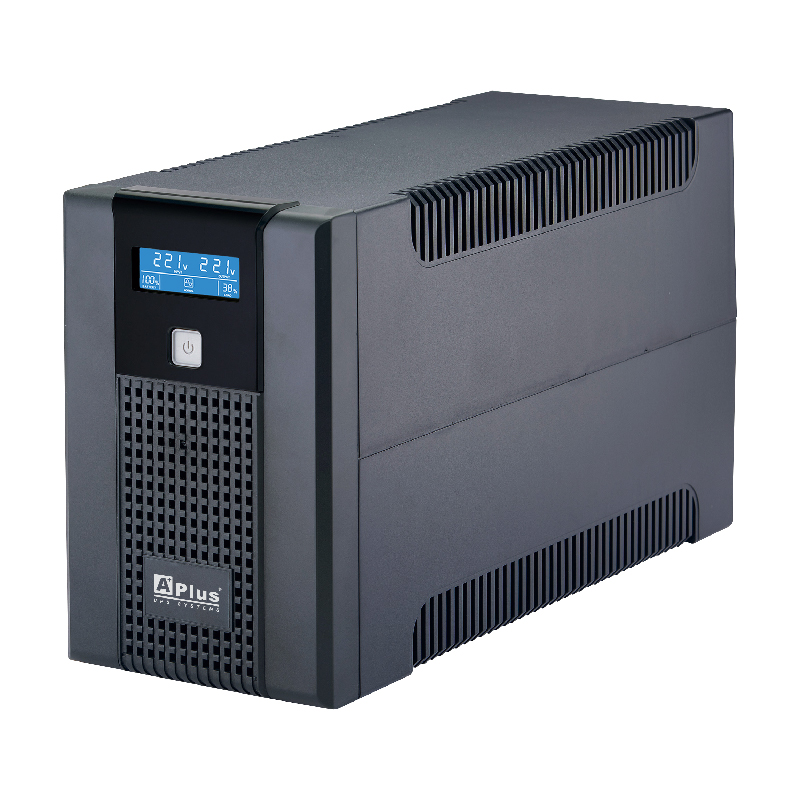
A brief power flicker that barely dims your lights can instantly crash every VM running on your homelab, potentially corrupting data mid-write in the process. Adding a UPS for your home lab provides battery backup that either rides out short outages entirely or gives your servers time to shut down gracefully during longer ones, protecting both uptime and data integrity.
Why Power Protection Matters for a Homelab
Unlike a single desktop PC that might just need restarting after a power loss, a homelab often runs services continuously — file storage, DNS, home automation — where an unexpected hard power-off carries real risk of filesystem corruption, especially on machines actively writing data at the moment power drops. A UPS (Uninterruptible Power Supply) sits between your servers and the wall outlet, instantly switching to battery power the moment an outage is detected.
Types of UPS Units
- Standby (offline) UPS – switches to battery only when it detects an outage, with a brief transfer time; the most affordable option and sufficient for most homelab needs
- Line-interactive UPS – actively regulates minor voltage fluctuations without switching to battery, offering better protection against brownouts and voltage sags common on residential power
- Online (double-conversion) UPS – continuously runs equipment from battery power converted from mains, providing the cleanest possible power with zero transfer time, though at a higher cost more typical of enterprise environments
For most home labs, a line-interactive UPS offers the best balance of protection and cost.
Sizing Your UPS
Calculate the combined wattage of everything you plan to protect (your Proxmox host, network switch, router) and choose a UPS rated easily above that total — typically aiming for enough capacity to run your equipment for 10–20 minutes on battery, sufficient time for either power to return or an automated graceful shutdown to complete.
Connecting a UPS to Your Server
Most UPS units include a USB connection to communicate status information (battery level, outage detection, remaining runtime) to a connected server, which is essential for triggering an automated shutdown rather than just providing “dumb” battery backup.
Installing NUT (Network UPS Tools)
NUT is the standard open-source software for monitoring and managing UPS devices on Linux:
sudo apt update
sudo apt install nut -y
Configuring NUT
Identify your UPS model and configure the driver in /etc/nut/ups.conf:
ini
[myups]
    driver = usbhid-ups
    port = auto
    desc = "Home Lab UPS"
Configure NUT’s mode (standalone for a single server monitoring its own directly-connected UPS) in /etc/nut/nut.conf:
MODE=standaloneRestart the NUT services to apply the configuration:
sudo systemctl restart nut-server nut-monitorSetting Up Automatic Shutdown
Configure /etc/nut/upsmon.conf with shutdown thresholds — for example, triggering a graceful shutdown when battery runtime drops below a defined number of minutes remaining, giving your Proxmox host (and its VMs) time to shut down cleanly before the battery is fully depleted.
Monitoring Multiple Servers from One UPS
If several machines share power from a single UPS, NUT supports a client-server setup where one machine directly connected to the UPS shares status information over the network, letting other servers trigger their own graceful shutdown based on the same UPS status without each needing a direct USB connection.
Testing Your Setup
Before relying on it during a real outage, deliberately unplug the UPS from the wall (while it’s still powering your equipment) and confirm that your monitoring setup correctly detects the outage, logs the event, and — if you’ve let the test run long enough — successfully triggers an automated shutdown before the battery fully depletes.
Final Thoughts
Adding a UPS for your home lab protects against one of the most common and preventable causes of homelab data corruption and downtime: an unexpected hard power loss. Combined with proper monitoring through tools like NUT, a UPS turns a potential disaster into either a non-event or, at worst, a clean, controlled shutdown — a small investment that protects the far larger investment of everything running on your homelab.
Leave a Reply