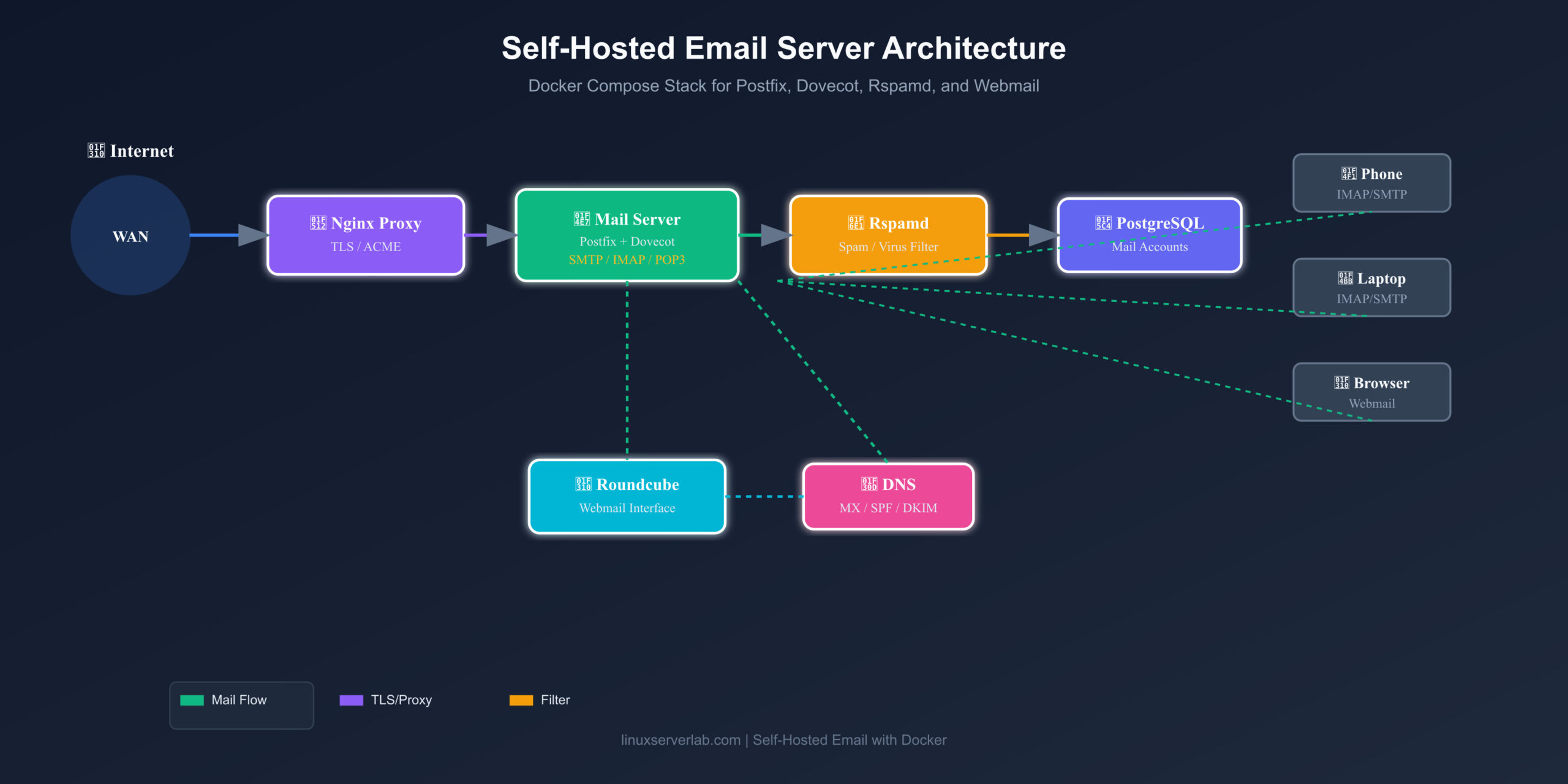
Running your own email gives you full control over privacy, deliverability, and branding — but traditional setups are notoriously fragile. A self-hosted email server docker stack changes that by packaging Postfix, Dovecot, Rspamd, and Roundcube into reproducible containers you can deploy in minutes.
Why Self-Host Email?
Most hosted email services scan your messages, impose storage limits, and tie you to their ecosystems. A self-hosted mail server keeps your data on your hardware, under your rules — ideal for homelab users who already run Proxmox, NAS, or a VPS.
The Stack
Postfix — SMTP delivery and relay
Dovecot — IMAP/POP3 access and mailbox storage
Rspamd — spam filtering, DKIM signing, and reputation scoring
Roundcube — webmail interface
PostgreSQL — user accounts and domain config
Nginx Proxy Manager — TLS termination and HTTPS
docker-compose.yml Overview
YAMLservices:
postfix:
image: docker.io/mwader/postfix-relay
dovecot:
image: docker.io/dovecot/dovecot
rspamd:
image: docker.io/rspamd/rspamd
roundcube:
image: docker.io/roundcube/roundcube
postgres:
image: docker.io/postgres:15
Each service connects through a dedicated Docker network. Volumes persist mail data, spam rules, and database state across restarts.
Key Configuration Steps
1. Set up MX, SPF, DKIM, and DMARC DNS records
2. Configure Postfix to relay through your ISP or a trusted smarthost if needed
3. Create mailbox users in PostgreSQL
4. Enable TLS on IMAP/SMTP and webmail
5. Test with mail-tester.com before sending real mail
Why This Works Better
This docker compose email setup isolates every component, simplifies backups, and removes the nightmare of manual dependency conflicts. If something breaks, you rebuild one container instead of repairing a monolithic server install.
Final Thoughts
A reliable self-hosted email server docker stack is one of the more advanced but rewarding homelab projects. Start small, monitor deliverability, and expand with filtering rules as your traffic grows.
Leave a Reply