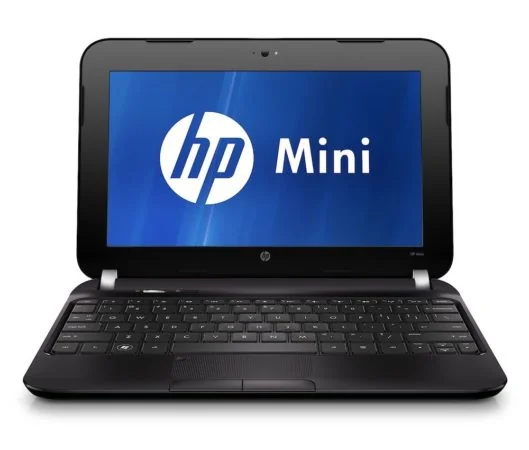
If your laptop is struggling to run Windows smoothly, switching to one of the best lightweight Linux distros for old laptops can breathe new life into aging hardware. Instead of throwing away a perfectly usable machine, a well-chosen lightweight distro can make even a 10-year-old laptop feel responsive again for browsing, writing, and everyday tasks.
Why Choose a Lightweight Distro?
Older laptops often struggle because modern operating systems demand more RAM, faster storage, and newer CPU instructions than the hardware can provide. Lightweight Linux distributions solve this by using minimal desktop environments, lower background resource usage, and optimized default configurations — letting old hardware run smoothly instead of grinding to a halt.
Top Lightweight Linux Distros
1. Lubuntu Built on Ubuntu but using the LXQt desktop environment instead of GNOME, Lubuntu strips away heavy visual effects while keeping full compatibility with the wide Ubuntu software repository. It’s a great starting point for users who want an Ubuntu-like experience without the resource demands.
2. Linux Mint Xfce Edition Linux Mint’s Xfce edition combines a polished, beginner-friendly interface with significantly lower RAM usage than its Cinnamon counterpart. It’s an excellent choice for users switching from Windows who still want a familiar, intuitive layout.
3. antiX Designed specifically for very old hardware, antiX can run easily on machines with as little as 256MB of RAM. It avoids systemd entirely and uses lightweight window managers, making it one of the most resource-efficient full-featured distros available.
4. Puppy Linux Puppy Linux is famous for running almost entirely in RAM, resulting in extremely fast boot times and snappy performance even on ancient hardware. Its small size (often under 400MB) makes it ideal for reviving laptops that other distros still consider too demanding.
5. Peppermint OS Peppermint blends a lightweight LXDE-based desktop with strong cloud-application integration, making it a solid choice for users who mostly work through a web browser but still want the option to run local lightweight apps.
Choosing the Right One for Your Hardware
- Under 1GB RAM: antiX or Puppy Linux
- 1–2GB RAM: Lubuntu or Peppermint OS
- 2–4GB RAM: Linux Mint Xfce Edition
Repurposing Old Laptops Beyond Daily Use
Once revived with a lightweight distro, old laptops make excellent secondary devices for homelab projects — running as a Pi-hole DNS server, a lightweight Kubernetes worker node, or a dedicated media server, extending their usefulness well beyond typical retirement age.
Final Thoughts
Choosing the right lightweight Linux distros for old laptops can turn hardware you were ready to discard into a genuinely useful machine again. Whether you need a daily driver for basic tasks or a dedicated homelab node, there’s a distro on this list suited to almost any aging device.
Leave a Reply